
How to Install Google Earth in Ubuntu 10.04
Google Earth is a 3D globe that lets you explore imagery of Earth, Mars, the moon, and the sky. Google offers a Linux native client, but not an Ubuntu package. Wondering how to install Google Earth on Ubuntu 10.04? Here’s my recommended method.
Note that 3D acceleration is required to run Google Earth.
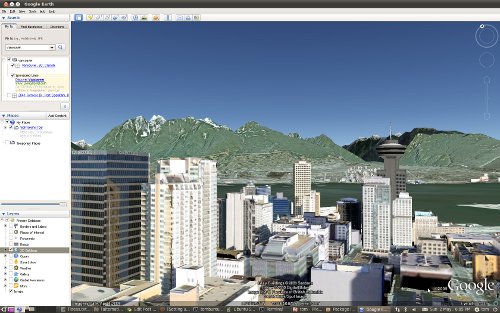
Method 1: Medibuntu
Medibuntu offers a Google Earth package for Ubuntu
10.04. You can download and install it
here. Scroll to the
bottom of the page and select your system type (i386/32 bit, amd64/64 bit) to
start the download. Double-click on the downloaded package to open the Package
Installer, and click Install Package.
Start Google Earth from Applications->Internet->Google Earth.
Method 2: googleearth-package
If the Medibuntu package is out of date or unavailable, you can create your own package with an easy script. The Ubuntu repositories offer a script which can create an easy to install Google Earth package for you.
Open Ubuntu Software Center and install
googleearth-package.Open
Applications->Accessories->TerminalType the command:
make-googleearth-package --forceWait for the script to build your package. This could take a minute or two depending on the speed of your computer and your Internet connection. At the end you should see:
Success!
You can now install the package with e.g. sudo dpkg -i
.deb
You should now have a Google Earth package waiting in your home folder. Open
Places->Home Folder, find the package namedgoogleearth_VERSION_ARCH.deb, double-click to open the Package Installer, and clickInstall Package.Start Google Earth from
Applications->Internet->Google Earth.
If you’re having trouble, check out the Ubuntu Community Documentation on Google Earth. I’ve also written previously about installing Google Earth using the installer from Google.
Archived Comments
Tom
Thanks!
Yes and yes.
gabengut
Hi, very useful, thank you!!
rayliving
doesnt work in ubuntu 9.04
Mohamed Nabih
thank you guys very much
you done a good work
yipi
thanks dude its works
Josh
I prefer adding Medibuntu as a repository and then just using apt-get for googleearth.
bimaSakti85
thankz for this info :D
Steve G.
I did exactly this in Ubuntu 10.4. Google Earth does appear in
Applications/Internet/ folder twice. I click on any one of them, and get the
message
Google Earth konnte nicht in den aktuellen Speicherort der Datei im Cache oder
in “Meine Orte” schreiben. Die Werte werden wie folgt festgelegt: (Google Earth
could not write in the current storage place of the files in the Cache or in “My
Places).
“Meine Orte”-Pfad (“My Places” path ): “/home/MrDog/.googleearth”
Cache-Pfad (Cache path): “/home/MrDog/.googleearth/Cache”
I click OK and Google Earth opens for just a couple seconds, and then disappears again.
Isaac
I tried but needs some deps look …googleearth depends on ttf-dejavu
uggs
good lucky!!!!
Jeetu
Thank you soooo much! it works fine! :)
Bill
That’s great! I used your first method (Medibuntu). It loaded right up and even the Street View icons loaded right up on the face of the earth, unlike my previous version. I used to have to log out of the Server and then log back in to get them. Tooling around with it, it feels like the Windows version, robust and unlikely to crash. With 3D buildings checked, looking at Seattle, the picture swings around quickly with little choking. Very smooth. Everything is nicely colored. I even got brave and rechecked the Atmosphere. No crash yet. When I installed it, I didn’t un-install the previous version, which used to consist basically of deleting the directories where Google Earth resided (using sudo of course). Now the previous icon boots up to the Medibuntu version, so it replaced the previous one automatically. I have struggled with this problem since Jaunty, which explains my elation.
Bill
Well, elation tempered. Google Earth just crashed on me when I was “driving” on a Norwegian road using the Street View. It just disappeared. Prior to that it kicked me out of the round ball which houses a Street View. Not sure where to direct this problem. Perhaps I need a more robust NVIDIA video card. Never had this happen in Windows, which is on the same machine, same 3D video card.
Muhammad Kamran
Thankx ubuntu rocks
Globalsoftbay
step by step installation guide is given at http://globalsoftbay.blogspot.com/2010/12/install-google-earth-on-linux-machine.html Check it out.it may help you.
Ygrek
Great! Thank You so much! Best regards.
Livio Corno
Finally an installation that works!!! Eu sou viado!
odysseas
great works perfectly on ubuntu 10.4!!!!
Bob
I lost my connection part way through and when I restarted I got all kinds of
crap that I don’t understand. Finally when I tried to install it I got…
dpkg: error processing .deb (–install):
cannot access archive: No such file or directory
Errors were encountered while processing:
.deb
How do I delete all the crap I put in my computer and start over?
sunrose
M tryin it,downloadin is goinin on.if it works dan,thnx a lot
zieraQ
Thanks for the tutorial. in my case im not lucky. I’ve tried the 2nd method but g.earth does not launch. nothing comes up when I click Applications->Internet->Google Earth.
the 1st methos howver does noy applied to my version which is 10.10. any help or links to solution would be greatly appreciated.
zieraQ
ugh bad spelling…:(
sliksoft
I’m using ubuntu 10.10 you must install lsb-core!!
sudo apt-get install lsb-core
go to http://www.google.com/earth/download/ge/agree.html
and download GoogleEart for your OS and install that’s all
Harry
thanks you for install Google Earth in Ubuntu guides.
Jim
Thanks and thanks again. Why didn’t all the other docs say that it needed the lsb-core package installed and save me a few late night head-banging sessions? Runs like a dream now.
Dr Kayak
Wow, a googlearth installation method that really works with my 64-bit machine! No unsatisfied dependencies, no signal 11’s caught, no unexpected crashes (so far). Many thanks!
TumuTanzi
Thanks very much, nice tutorial for installing google earth in Ubuntu box.
James
I installed your method 2 - googleearth package - and everything worked exactly as you said. I even put the icon on my desktop. Trouble is, it won’t open! Any suggestions?
Glenn David
Ohh, great tutorial. I was wondering whether it was possible or not. Will install it on my Ubuntu running lapy. Thanks :)
Mo
Very nice site, I’m bookmarking it. :)
I take it I can uninstall googleearth-package once done, and can I put the made .deb file straight onto another Ubuntu 10.04 machine to save remaking it?