
Read Your Linux Partition from Windows with DiskInternals Linux Reader
Back in the summer I wrote about two programs that allow Windows to read and write to Ext3 partitions as if they were native filesystems. DiskInternals Linux Reader is a similar program for read-only access.
Linux Reader is not a driver, and it does not integrate with Window’s file manager. It’s a separate program that resembles Windows XP’s file manager.
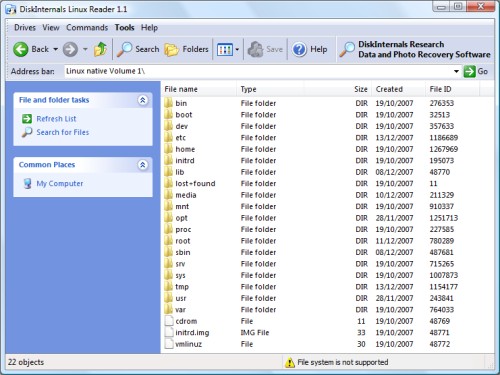
Linux Reader lists all of the Linux partitions and can browse them as you would expect. There is a preview for image files on the sidebar, but to open a file it must be saved to a Windows partition.
Linux Reader is freeware and runs on just about every version of Windows.
Archived Comments
Derek Buranen
Jaba beat me to it. I’ve used fs-driver for years.
Jaba
check out this one:
http://www.fs-driver.org/