
A New Refreshing Look for Ubuntu
It looks like there will be no theme overhaul in Ubuntu 8.10, but a number of nice themes and concepts have been proposed. I’ve been using one of these themes, called Dust.
Dust controls and window borders:
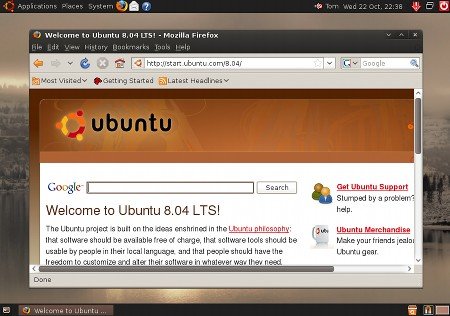
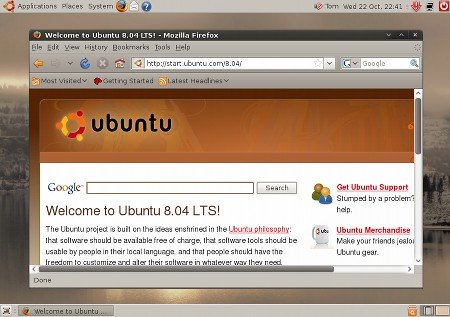
Dust Sand controls and Dust window borders:
Dust requires a very recent version of the Murrine theme engine. Download and install the package for your system:
Head to the download page on
Launchpad for the Dust theme.
Download the dust and dust-extras tar.gz archives. Drag and drop them into
the System->Preferences->Appearance->Themes window to install.
Select the Dust theme to apply it. To select one of the extra themes, click
Customize, and select one of the other Dust window borders and controls.
I’ve been using the Dust Sand controls and Dust window borders for a while, I’m not too keen on the dark toolbars in the main Dust controls.
Archived Comments
Jonathan
You can also add Kenneth Wimer’s ppa, which give you the community-themes package with all 3 of the completed community themes: Dust, Kin, and NewWave. It also updates your murrine engine and installs them in the proper directories so that all administrative applications also take on the correct design.
the same here
Hi.
I am using Dust Sand, and I find this to be one of the best themes for Gnome.
It’s easy on the eye, looks nice, it’s perfect for me. I think this (or a theme
that’s similar) should be the the default in Ubuntu.
Vadim P.
Dust is very lovely indeed.
Richard
There is only one really annoying problem with this theme:
Try to resize a window from the top corners or the bottom left corner. You have to find the 1 (one!) pixel that enables you to resize windows. The same goes for left and right but here the zone to resize is 1 pixel wide and as high as the current window.
Tim
When will Ubuntu get away from the “Brown on Brown” look it consistently uses?
John Ankarström
Nice theme! I’m waiting for 8.10…! Only 7 days left! ;D
Andrew
What do you mean
“It looks like there will be no theme overhaul in Ubuntu 8.10”
I know it won’t be set default, but the DarkRoom theme will be included with installation
Mohan
I love the Dust theme, and the new default wallpaper! But right now I am using Shiki-Human with GNOME-Human icons. :)
Anonymous
Or you could install ‘gtk2-engines-murrine’, ‘murrine-themes’ and ‘community-themes’, from the Intrepid repos, to get the same effect.
$ sudo aptitude install gtk2-engines-murrine murrine-themes community-themes #gnome-backgrounds
dannybuntu
These are awesome :)
iampriteshdesai
Thanks!
Great theme.
I tried installing it once before, but didn’t look too great then.
Bye!
Zac
Wow, this Dust theme is the best I have seen to far. It’s very easy on the eye. I am not too concerned with 8.10 not having a complete makeover, gives them more time to come up with something that will amaze us. I’m actually satisfied with the default 8.04 theme. Anyway, there are step-by-step instructions that people post so you can add themes.
RedBirdiii
I managed to install everything alright.. and Dust theme is working like a charm but.. when it comes to installing dust-extras I get this error message:
Installation for theme “Dust Aurora” failed.
Can’t move directory over directory.
Why do I get this error message?
alex dante
There’s a complementary Firefox theme for Dust as well:
Zach
i tried to install a theme from here:
http://www.techiesouls.com/2008/11/27/collection-of-50-best-looking-linux-gnomeubuntu-themes-to-download/
and i got this error message.
Installation for theme “Blue-Junior0.9.4” failed.
Can’t move directory over directory.
jorge
Check out the panel background for dust in /usr/share/themes/Dust … it’s quite awesome. :D