
Improve Google Earth's Appearance
Update: The latest versions of Google Earth seem to be doing this by default now.
Google Earth has an official version for Linux and
it runs natively unlike Picasa, which uses WINE. But you wouldn’t know looking
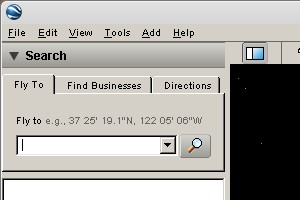
at Google Earth’s interface in Linux; it looks like an ugly WINE application.
I’ve got a how-to if you haven’t yet installed Google Earth.
Google Earth uses the Qt toolkit, which is what the KDE environment is based on. But even in KDE, Google Earth will not take the system theme because its version of Qt is built-in instead of using system-wide library.
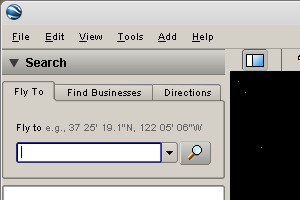
In Google Earth version 4.3, you can improve the appearance. Run Google Earth from the terminal, using this command for a GNOME look:
googleearth -style cleanlooks
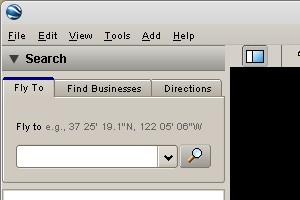
And this for a KDE look:
googleearth -style plastique
You can update your menu item to launch Google Earth with your preferred
appearance. Open System->Preferences->Main Menu. Find Google Earth, right
click on it and select Properties. Change the command for the item to one of
the two above.
This wouldn’t be necessary if Google provided a version which used the Qt library provided by your distribution.
Archived Comments
bormuff
This one has had me perplexed for a couple of weeks, ever since I installed the GoogleEarth app. The text displayed (either in the dropdown menu or within the sidebar menu) was tiny and squished up, essentially unreadable.
I thought this -style trick might be the answer but it doesn’t appear to change anything. I did try and look at any internal options that might need altering but, well its hard to guess what it might be :)
dadsbrkn
This didn’t work for me, I tried both methods.
Tom
bormuff:
There’s not much you can do until Google Earth can be set to use the system Qt
libraries. These options don’t seem to affect the fonts at all.
dadsbrkn:
This only works in the latest version of Google Earth, you probably need to
update it.
skawaii
Nice tip. You don’t happen to know of other command line options, do you? They don’t seem to exist anywhere on the Internet. I don’t even know how you found out about the style option. Care to share?
kos ivantsov
i just found out that you can change some of the settings in
~/.googleearth/Registry/google/googleearthplus/User/render
there’s whole bunch of files, and changing them changes the gui
kos ivantsov
here’s another file where you can tweak the gui
~/.config/Google/GoogleEarthPlus.conf
stephen
It works and gave me insight to installing other applications, thanks.
Caleb
I just type:
googleearth -style gtk+
in gnome and it matches my gnome theme just like my other qt programs do.
Cheers. qt is very beautiful.
jjb
The actuall command for Google Earth version 4.3,Linux is googleearth. You need to change the permission properties.