
How-to Install Nexuiz 2.4
Nexuiz is one of the most popular open-source first person shooter games. It’s been in development for a long time, and the new 2.4 release has added a new menu system that’s easier to use, improved 3d effects, more game content, and improved performance. The version included in the Ubuntu repositories is now out of date, so you’ll need to install version 2.4 manually.
[update] Nexuiz 2.4 is now available in the Ubuntu 8.04 repositories.
Install it by installing the package nexuiz and optionally nexuiz-music.
sudo apt-get install nexuiz nexuiz-music
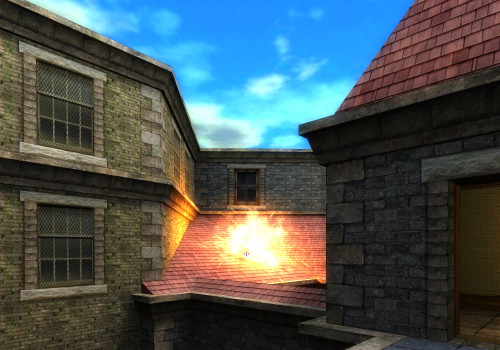
Download the Nexuiz 2.4 archive (approximately 300 MB) to your home directory:
wget -P ~ http://superb-east.dl.sourceforge.net/sourceforge/nexuiz/nexuiz-24.zip
Extract the archive:
unzip ~/nexuiz-24.zip -d ~
Move the Nexuiz folder to /opt (you’ll need to enter your password):
sudo mv ~/Nexuiz /opt/
You can now delete the archive from your home directory:
rm ~/nexuiz-24.zip
Ready to frag some noobs? You’ll probably want to disable Compiz first for best performance. Once you are ready, use this command to start Nexuiz:
/opt/Nexuiz/nexuiz-linux-glx.sh
You can add Nexuiz to your Applications menu using the menu editor in
System->Preferences->Main Menu. You’ll want to download an application icon
for Nexuiz.
Want to take a screenshot in-game? Press F12 and a screenshot will be saved to
~/.nexuiz.
Archived Comments
Michael R. Head
BTW: if someone can fill in the FFE request requirements, it might make it in: https://bugs.launchpad.net/debian/+source/nexuiz/+bug/197086
PhantomLORD
You dont need to install anything, and no need to be packaged for hardy.
Just download, extract and run nexuiz-linux-glx.sh.
Vadim P.
I’ll wait until getdeb.net makes a .deb.
So that I can just go to Applications - Games and start it easily. Like I do with all other games. Not worry about keeping the original folder in place too…
Vadim P.
Well, nevermind that, I couldn’t find the sources for this release. I just the svn link.
Gotta hate the windows mentality after you get used to installing things oh so easily, not having to worry about where do they get stored, and launching them quickly via alt+f2 or applications.
“No, the right way is to save the folder… know where you put it, and go to it every single time you want to launch. Want it in the menu? Go do it yourself! psh.”
Johan
Great post. I love them shooter-games. :)
xeros
Has anyone found deb package for Ubuntu Gutsy/Hardy? I’d like to add this game to my remastered Kubuntu Live DVD in ‘proper’ way.
DJ85
GREAT!
I’m quite unfamiliar with installations via console but this one was like a
pieced pie!
Thanks…there’d be no need for any deb-Packages if there’d always be such an
exact description.
Only copy, paste and “Enter”,
I couldn’t play Nexuiz for about one week and I was going to become
insane…thank the Lord, this will keep me sane! ;)
Anonymous
Thank You!
Now I can play Nexuiz 2.4.2 on my openSUSE 11.0 :)
Anonymous
Thanks, but i get this message;
./nexuiz-linux-686-glx: /lib/tls/libc.so.6: version `GLIBC_2.4’ not found
(required by ./nexuiz-linux-686-glx)
Any help?
Anonymous
You need glibc
Michael R. Head
I hope 2.4 can be packaged for hardy!