
Installing the Ubuntu Studio Theme
Ubuntu Studio is a multimedia creation focused distribution based on Ubuntu. It’s black and blue theme may appeal to you more the Ubuntu’s default brown. The Ubuntu Studio theme is easy to install in Ubuntu. Just run this command to install all the pieces:
sudo apt-get install ubuntustudio-theme ubuntustudio-icon-theme ubuntustudio-wallpapers ubuntustudio-gdm-theme
Now open the Appearance Settings window (System->Preferences->Appearance) and
select the UbuntuStudio theme in the Theme tab. Extra wallpapers are also
included in the Background tab.
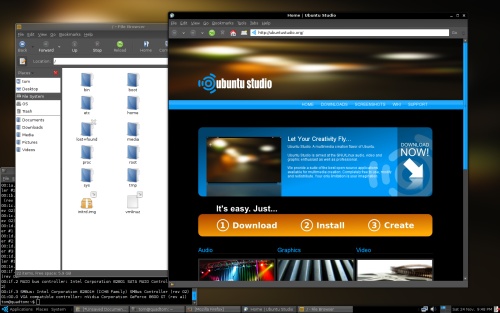
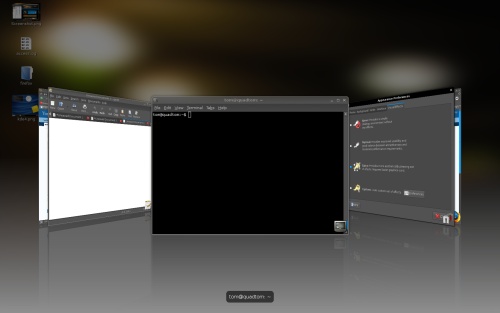
The Ubuntu Studio login theme will also be added to the Login Window Preferences
window (System->Administration->Login Window).
Archived Comments
Tom
The_Stig,
You can find more themes at GNOME-Look:
http://gnome-look.org/
The_Stig
Thank you!
gede
Thanks.
Jamac666
Hey thanks for this wicked theme!
I love the looks that it gives you and especially the desktop background.
Thanks!
Denis
This theme is just what I’ve been looking for, thanks for a really great find.
tmc
thank you! :D
conandor
thanks cool. thanks
ath007
wow dude.. thanks a lot.. just what i been looking for… but just in case something goes wrong (hope it doesn’t :P), is there a method to uninstall it?
and is there any typical performance difference between ubuntu studio and ubuntu 8.10? I just upgraded to 8.10 yesterday. Will i be missing out on something? i am installing the softwares that feature in Studio though, one by one. So i was wondering, what would be the difference…
Thanks
Anonymous
no difference ath007. other than a direct ubuntustudio install uses the rt kernel (real-time)
Boban
sudo su -c ‘echo deb http://archive.ubuntustudio.org/ubuntustudio feisty main >>
/etc/apt/sources.list’
wget -q http://archive.ubuntustudio.org/ubuntustudio.gpg
-O- | sudo apt-key add - && sudo apt-get update
sudo apt-get install ubuntustudio-look
The_Stig
Hey Tom!
Thanx for this tip.
How can I get another themes?
Regards.