
Integrate the Web Platform with Your Desktop - Mozilla Prism
Prism is a cross-platform application that lets you integrate web applications with your desktop.
Prism now provides a cross-platform way to integrate the web platform with the desktop environment, and developers don’t have to lift a finger to desktop-enable their web applications, while users have the choice to use their favorite web apps in their browser, on their desktop of choice, or in both places.
Prism is the successor to WebRunner, which I wrote about a while ago. Mozilla just released the Linux version of Prism. Prism is a web browser that runs web applications to look and launch as if they were traditional applications.
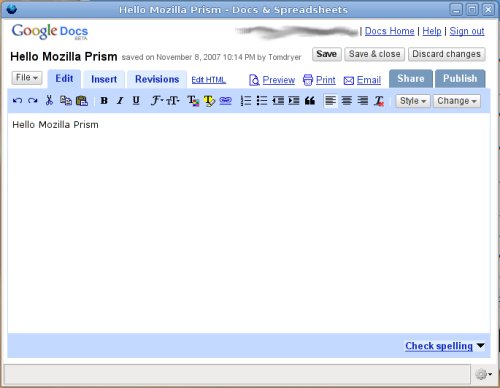
There is no package available for Ubuntu, but the following command can install
Prism for Linux for you. It downloads Prism 0.8 and extracts it to your /opt
directory. To do this it will need to ask for your password. Copy and paste this
command (it’s one line) into a terminal to run
it.
wget -P ~ http://people.mozilla.com/~mfinkle/prism/prism-0.8-linux.tar.bz2 && sudo tar -xjf ~/prism-0.8-linux.tar.bz2 -C /opt
Once the install process is finished you can run Prism with this command:
/opt/prism/prism
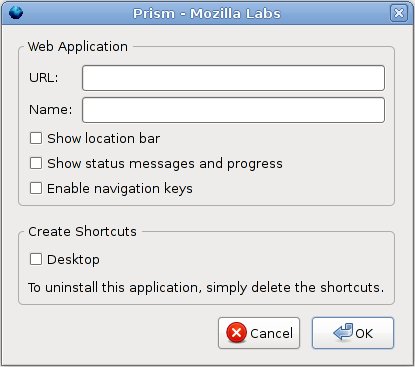
Prism will start and ask you to create a new web app launcher. Set up a web app,
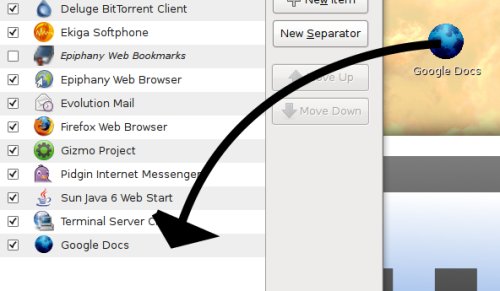
and check the box to put the shortcut on the desktop. You can drag this shortcut
from your desktop into the Main Menu editor (System->Preferences->Main Menu)
in GNOME to make it appear in your menu.
I’ll be looking forward to more improvements to Prism from Mozilla in the future.
Archived Comments
Tom
Michael:
Dragging launchers is working for me in Hardy. But if you are having trouble you
could right-click on the app launcher and select the Launcher tab. It will show
all the information needed to recreate it in the menu editor manually.
Mike M.
I have used Prism, and was thoroughly impressed. Once more and more hits the ‘cloud,’ things like netbooks with prism would be fantastic. Cloud applications could be easily accessed with a standard browser with a link that could setup a prism shortcut for that app automatically. Great things can be done with this for sure.
Michael
It does not appear that you can drag the new apps into the Main Menu Editor in Hardy. I created a Pandora Music app and it just slides back to the Desktop when I drag it onto the Main Menu Editor. Any other suggestions?